Claude Code plugin
Everything only you can do,in one place.
Claude finishes its part and writes down yours: the console setting, the agreement to accept, the review to answer. With the exact value to paste and the reason it matters.
No account. Nothing leaves your machine.
/plugin marketplace add javirub/claude-manual-todos-plugin
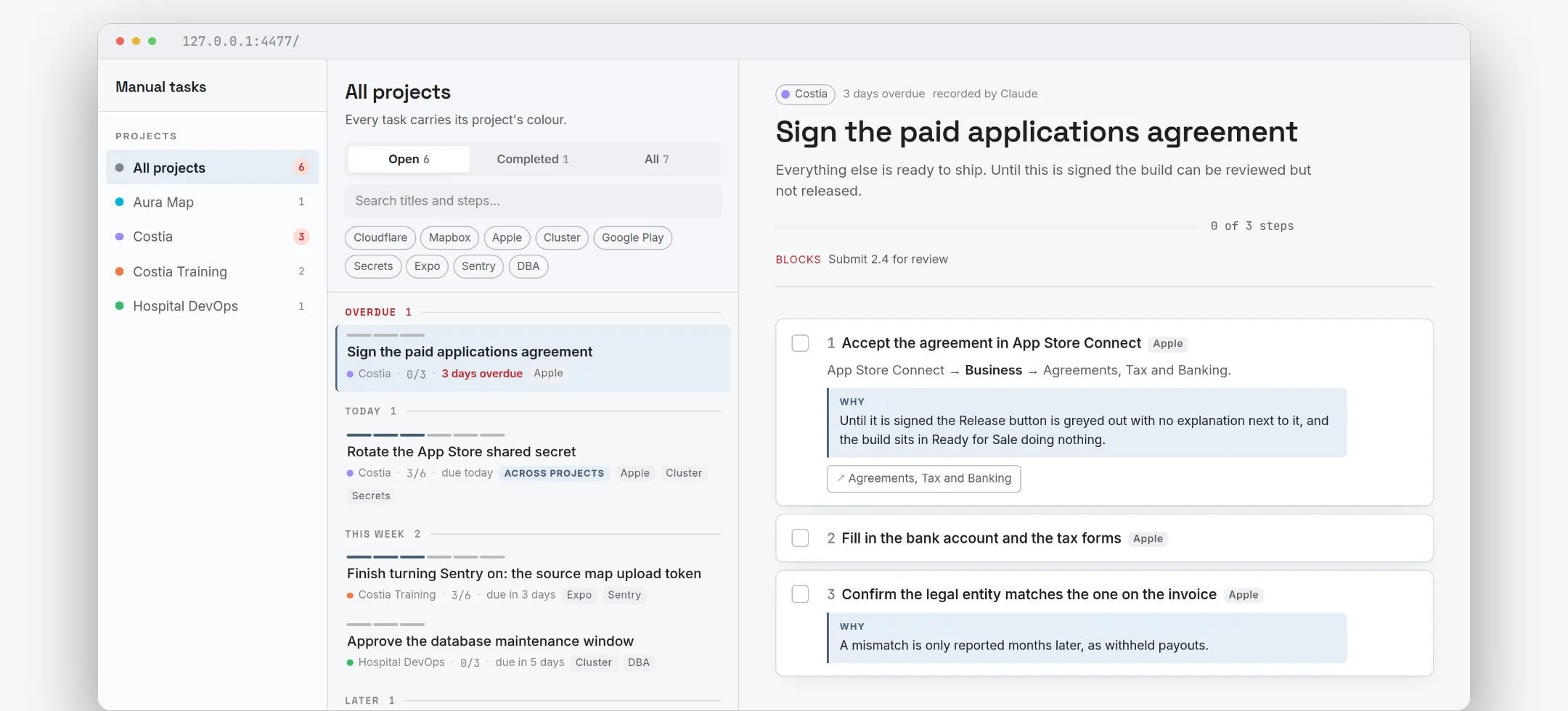
The board
Ordered by what is already late
Every project you work on, in one list, grouped by when it is due. The colour on a task is its project's, so you never have to read a label to know where you are.
How it gets there
You do not type these in
Claude records what it could not finish
As it works. It checks what is already on the board first, so the same task does not land three times.
You work through it
Tick a step on the board, or just tell Claude what you finished.
Your terminal knows
An optional status line counts what is pending for the project you are standing in.

What a step carries
The difference between a reminder and a task you can finish
A to-do list says "rotate the shared secret". This says which secret, where the button is, and what breaks if you skip it.
- The exact value, not a description of it
ai.costia.app.pre, not "the pre-production identifier". If you are going to paste it, it is there with a copy button.- Why, when skipping it fails invisibly
- Not on every step — only where the consequence is not obvious. A greyed-out button with no explanation next to it, a payout withheld months later.
- The link goes to the console, not the documentation
- You are about to do the thing, not read about it. And the path through the interface is in the product's own words, because navigating is most of the work.
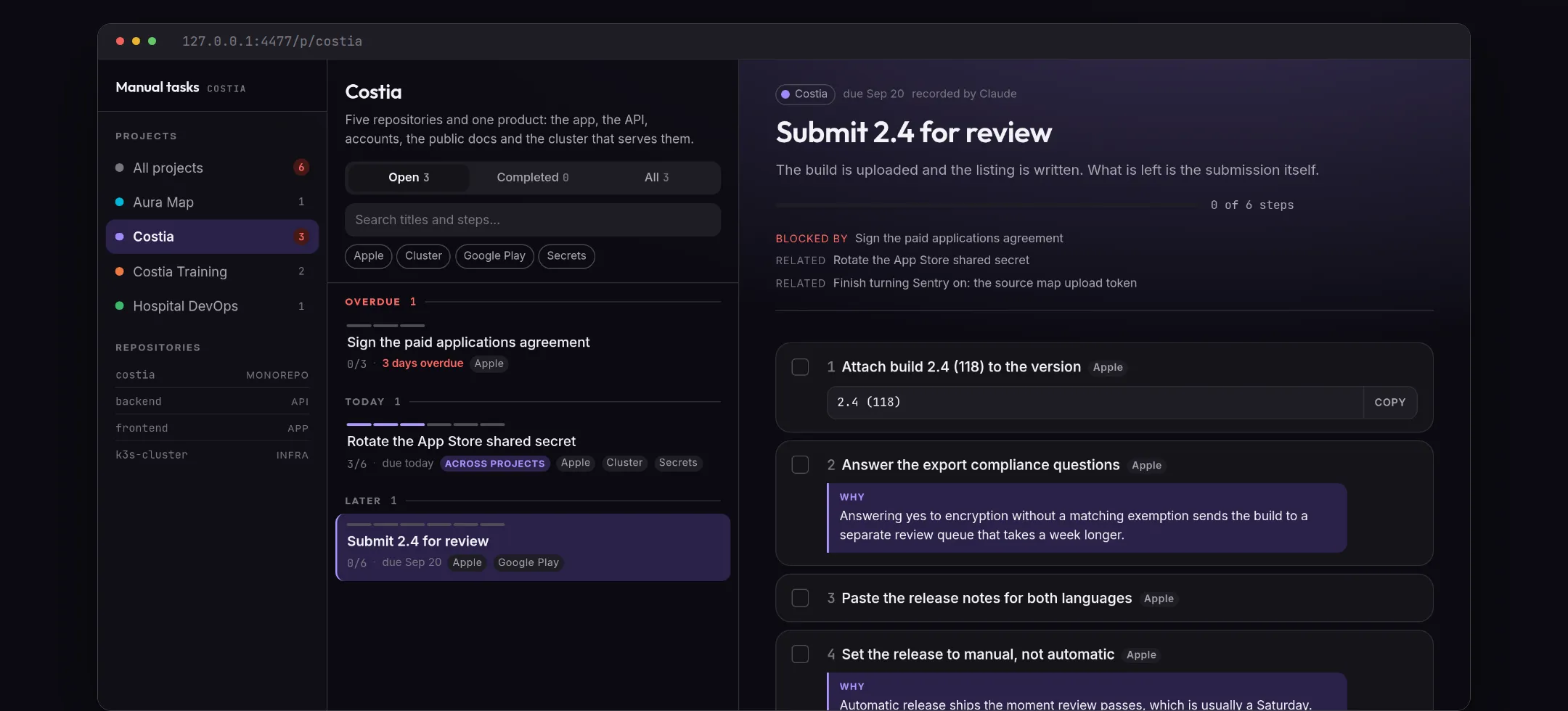
- What blocks what
- Tasks link to each other, so the one that has to happen first says so. A task is done when its steps are, never before.
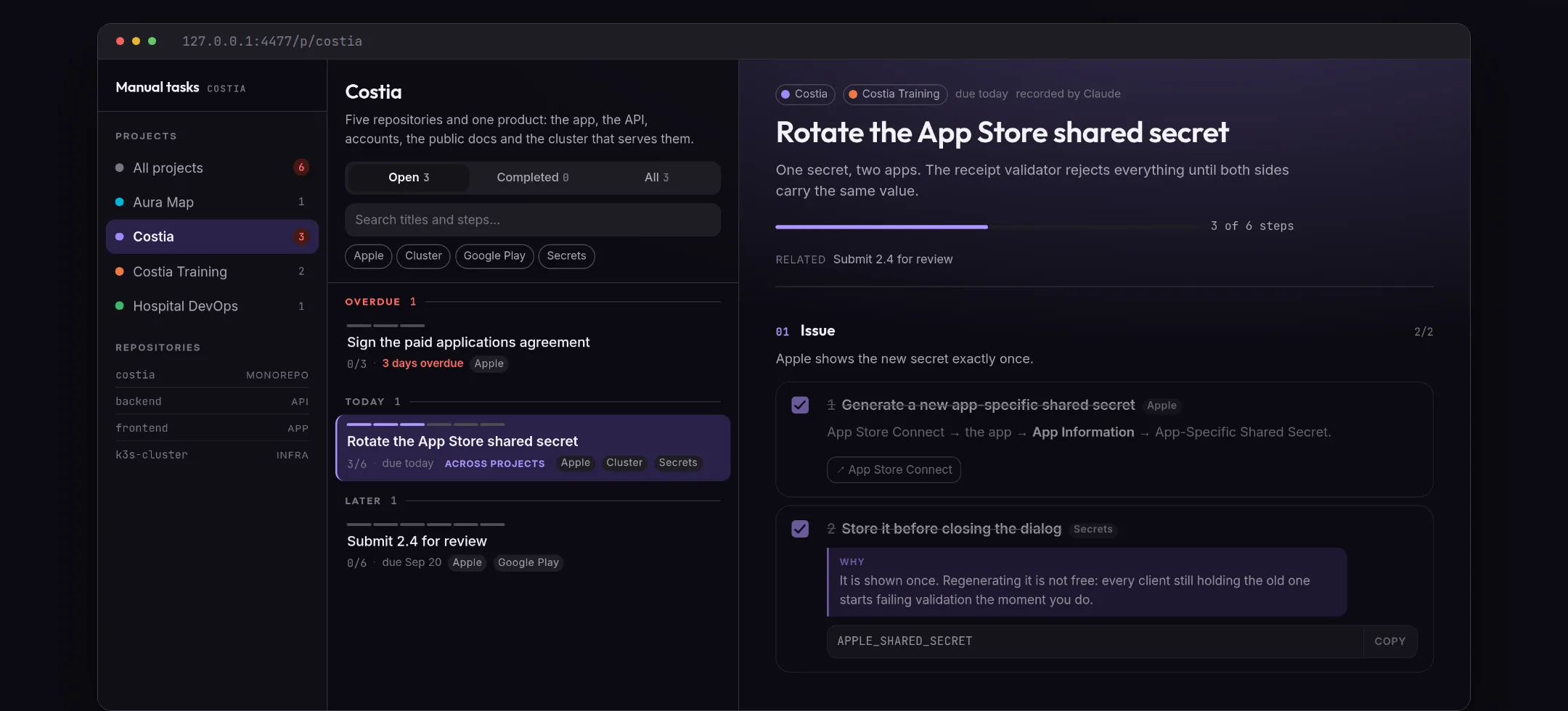
Projects
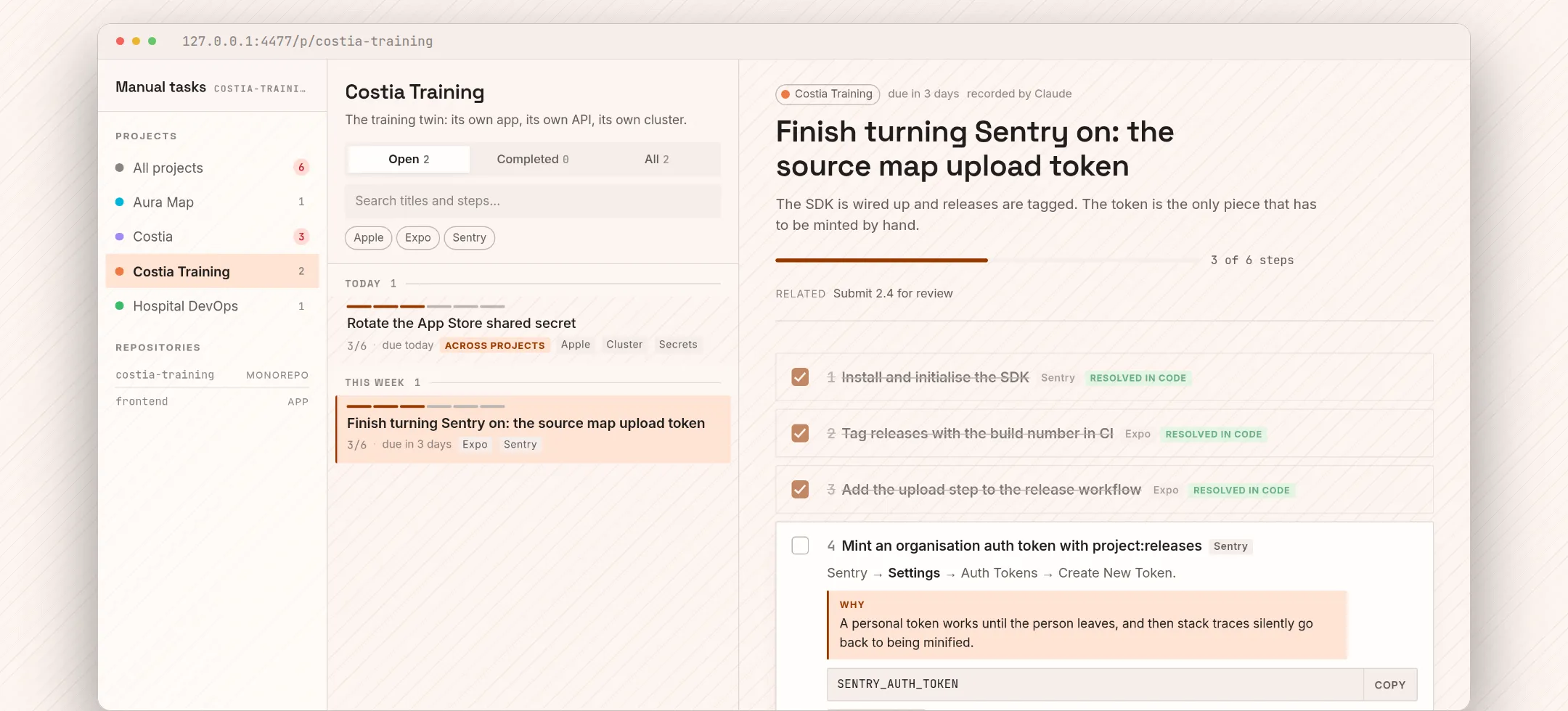
Each project looks like itself
Colour, texture, typeface and corner radius per project, so you know where you are without reading anything. Two projects are never allowed to look alike, and the contrast is checked rather than trusted.
Where it lives
Local by default
On your machine
Available nowTasks live in SQLite under your own home directory. No account, no sign-up, no network. The board binds to loopback and authenticates nobody, because nobody else can reach it.
- Linux, macOS and Windows
- Nothing leaves the computer unless you ask it to
- The board is yours; the plugin never posts it anywhere
Shared, when you want it
Not open yetA hosted mode is written — accounts, workspaces, shared projects and per-role steps — and it is not taking sign-ups. This page will say so the day it is.
- Share a project without sharing everything
- A step owned by a role only its role can close
- The local mode keeps working exactly as it does now
Install
Two commands, inside Claude Code
Then run /todos:onboarding, which asks — in your conversation's language — whether you want the terminal command, the status line and the board. Any combination, or none.
/plugin marketplace add javirub/claude-manual-todos-plugin/plugin install todos@claude-manual-todosWhat you need
- Claude Code
- Bun 1.2 or newer, on PATH
- Linux, macOS or Windows